About Half-Life
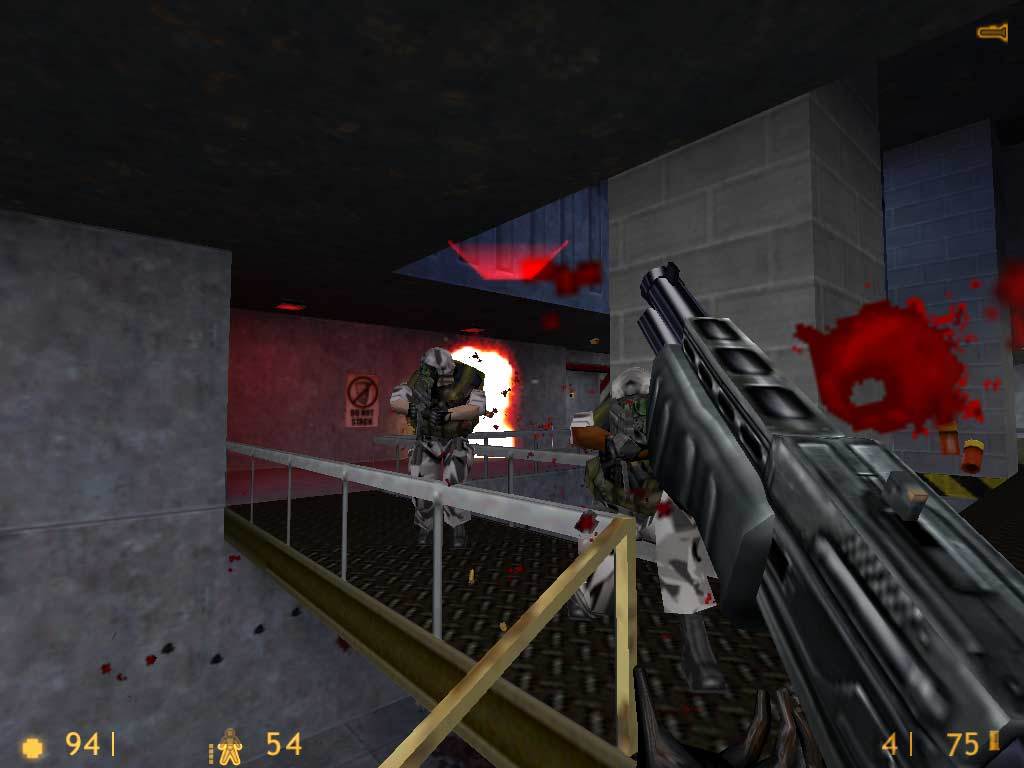
Half-Life blends a first-person shooter with an adventure through a scientific facility where something has gone badly wrong. Instead of separating the story from each arena, it builds the journey through places, encounters and problems you discover while moving forward. Combat is important, but observation matters too: a route, obstacle or interactive object can change what you should do next.
A good first session alternates careful exploration with short bursts of action. Look around before entering an unfamiliar area, listen to the people you meet and use the environment to avoid wasting ammunition. Different weapons serve different encounters, so save a useful alternative rather than immediately exhausting every new tool. A demo offers a shorter introduction to this style of play; your own complete game data opens the larger adventure through the browser engine.
How to play
- Explore connected areas and solve environmental obstacles.
- Fight human and alien threats with a varied weapon selection.
- Follow the story through encounters and interactions in the game world.
Beginner tips
- Look for an environmental solution before spending ammunition on an obstacle.
- Use a quieter moment to check alternate paths and supplies.
- Save regularly and export a browser save you want to preserve.
Play in your browser
WebXash offers limited Half-Life demos and can import your own valve folder or a correctly structured ZIP for the full game. A keyboard and mouse are recommended; fullscreen helps avoid browser shortcut conflicts.
Need a hand getting started? See game files and demos or the loading guide.
Half-Life FAQ
How do I start Half-Life in the browser?
Use the WebXash launcher linked above. Choose a Half-Life demo for a shorter introduction, or import your own valve folder for the full game. The WebXash setup guide explains folder and ZIP imports.
Do I need to own Half-Life to play the demo?
The available demos have limited content and their own launch option. The full game needs files from your own Half-Life copy. See the game-file guide for the difference.