About Black Ops 1 Zombies
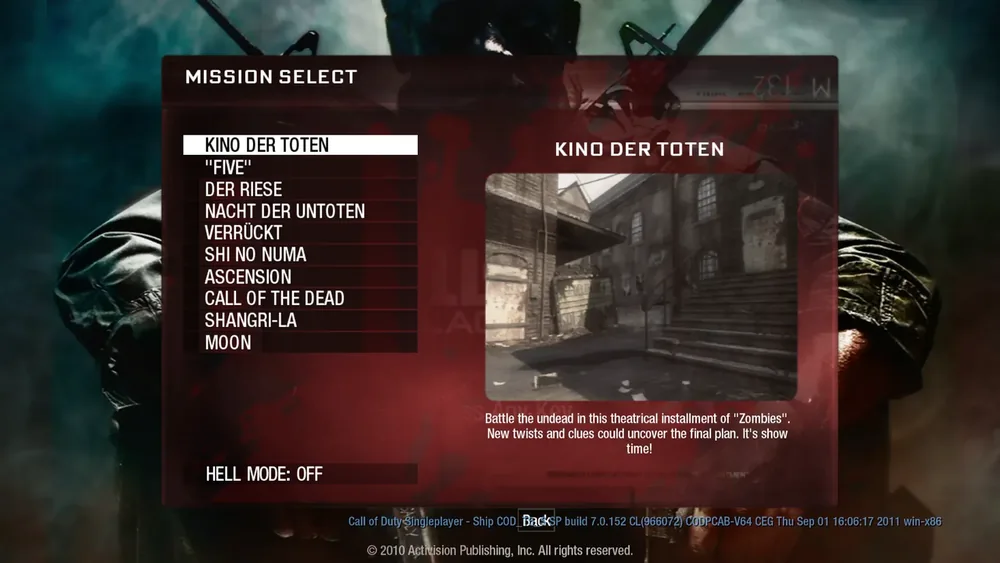
The BO1 Zombies browser project at vel.gg/bo1z offers maps including Kino der Toten and Moon. Black Ops Zombies turns the military shooter into a survival challenge. Instead of advancing through a campaign, you defend yourself against successive waves of undead enemies. Each new round increases the pressure, so good aim is only part of the job: you also need room to move, ammunition for the next encounter and a plan for leaving a dangerous position.
A successful run develops a rhythm of fighting, recovering and preparing. Learn one map before switching between the available locations, and notice which passages give you space to retreat. The fun comes from pushing a little further each attempt, recognizing why the previous run ended and coordinating with other players whenever the selected mode supports a team.
How to play
- Fight successive zombie waves with increasing pressure.
- Manage ammunition and improve your fighting position between encounters.
- Learn each map’s layout and survive longer on repeat attempts.
Beginner tips
- Learn an escape route before concentrating on kills.
- Reload during a quiet gap instead of while surrounded.
- Keep moving when enemies begin closing off your position.
Play in your browser
The fan browser launcher has a map picker and an optional Hell mode. A selected map may require a substantial initial download before play.
Need a hand getting started? See game files and demos or the loading guide.
BO1 Zombies FAQ
Where do I play BO1 Zombies in a browser?
Open the BO1 launcher linked above and choose a map. For a direct map page, use Kino der Toten or Moon on the same BO1 host.
Why does BO1 Zombies take time to start?
Each map needs its own resources on the first visit. Keep the tab open while the progress indicator changes; choosing another map can start another download.
Can I play this BO1 project on my phone?
Use a desktop browser with keyboard and mouse for this entry. For a phone session, browse games with touch or controller controls.