About WASM Arcade PC Collection
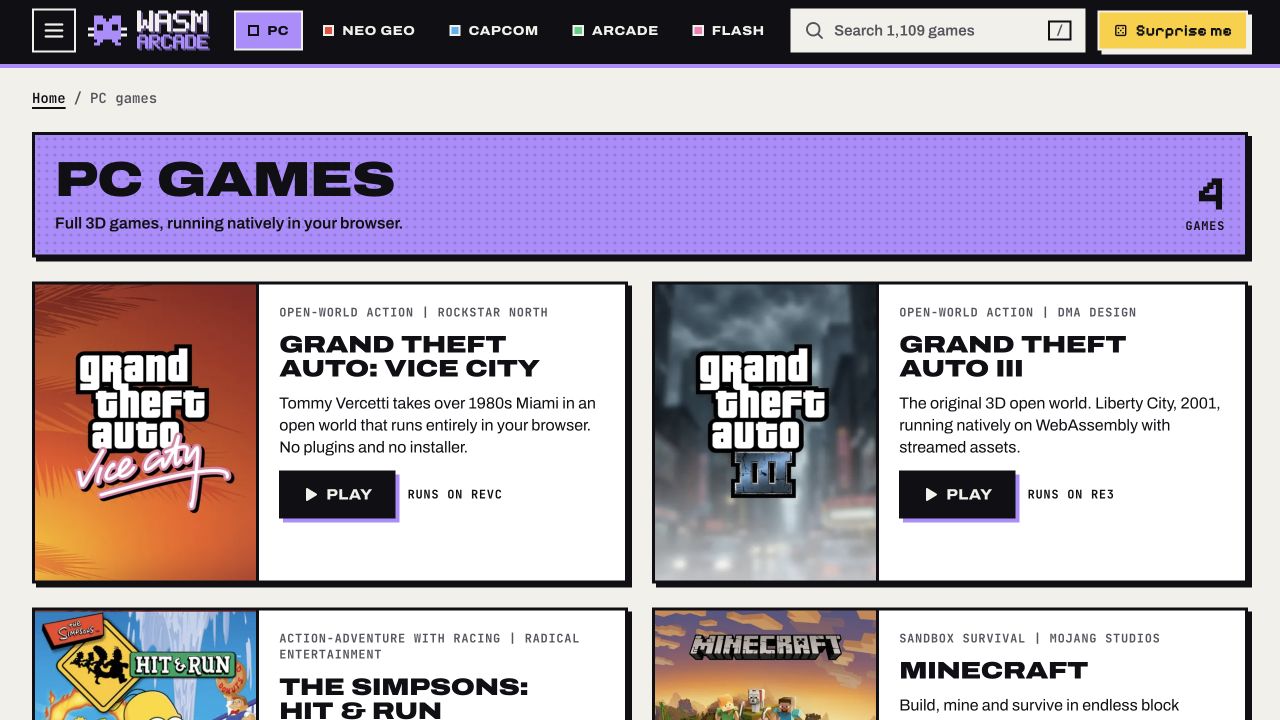
WASM Arcade’s PC page is a collection of browser game projects rather than one game with a shared set of rules. Its listed choices include Grand Theft Auto: Vice City, Grand Theft Auto III, The Simpsons: Hit & Run and Minecraft. Each card takes you to a distinct experience, so the most useful first decision is the kind of play you want: city action, driving adventures or open-ended construction.
Treat the collection as a starting point, then read the selected game’s own introduction. A driving game and a block-building sandbox ask for different controls, goals and saving habits. Choose a familiar title for a short first session before comparing several projects. That makes it easier to learn the page’s launch flow and judge what suits your device without confusing one game’s instructions with another. The collection’s game cards describe the individual engine projects used underneath.
Choose a game
- Choose an individual game from the PC collection.
- Explore GTA worlds or Springfield’s driving-and-walking adventure.
- Try Minecraft’s mining and building style through its separate browser entry.
Beginner tips
- Choose one title first instead of launching several heavy games together.
- Read the selected game’s own controls before trying to play.
- Check how that particular game keeps saves before leaving the session.
Play in your browser
This is a collection, and each game has its own setup, controls and data requirements. The PC page recommends a modern desktop browser and keyboard, mouse or gamepad input.
Need a hand getting started? See game files and demos or the loading guide.